Connect your care team with Health Auth
Use Health Auth to share structured Care Review data with your hospital care team only when you explicitly consent — common in Evercare-linked pilots.
By Isaac Williams
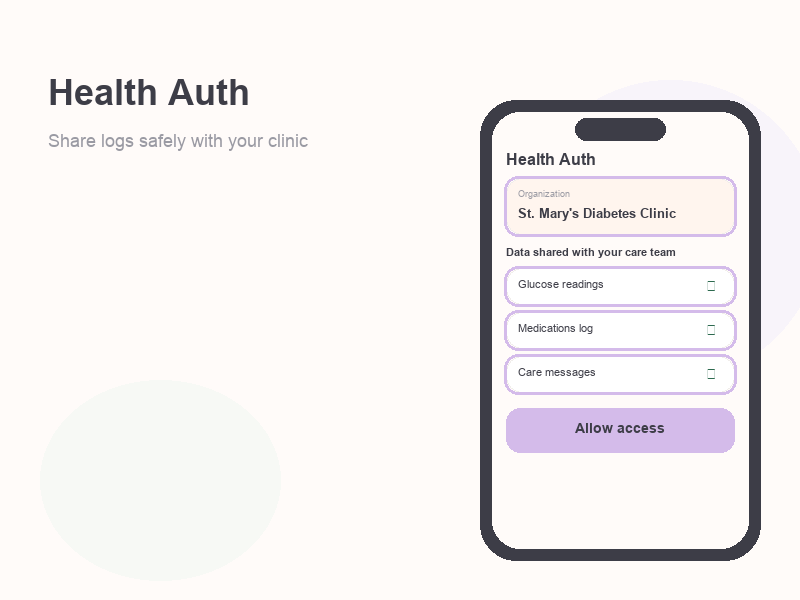
Health Auth is Kinsula’s consent-based sharing layer. Your clinical logs stay in your account until you approve sharing with a participating hospital or care organization (often integrated with Evercare in pilot deployments).
Who needs this
- Patients whose hospital enrolled in a Kinsula pilot and asked you to link your account.
- Anyone who wants clinicians to see structured summaries instead of sending screenshots.
You can use Kinsula fully without Health Auth if you are recovering independently.
Steps
- Go to Profile → Integrations (or Health Auth during onboarding if offered).
- Read what data categories will be shared (typically glucose, medications, insulin, and Care Review summaries — exact scopes are shown in-app).
- Tap Connect or Link care team and choose your hospital or organization from the list. If you do not see your site, confirm with your nurse that the pilot is active for you.
- Complete identity verification steps if prompted (this prevents linking the wrong chart).
- Review the consent screen and tap Authorize only if you agree. You can decline and continue using the app locally.
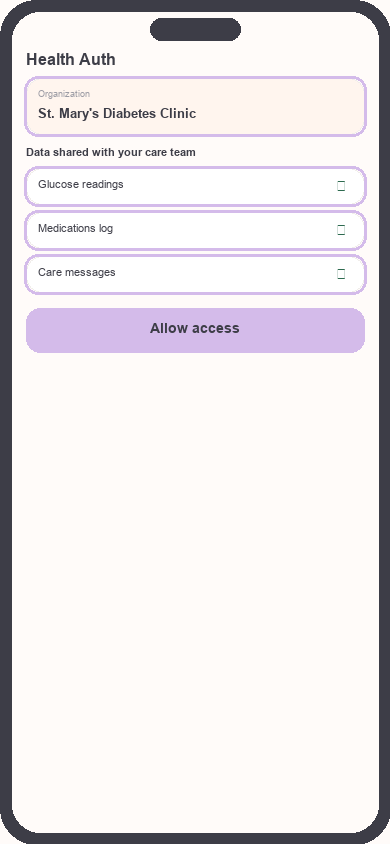
Health Auth consent screen
Focus: Focus on organization name and data scopes
- After success, look for a Connected badge under Integrations. Care messages may unlock or route to your team inbox depending on pilot configuration.
- To stop sharing later, return to Integrations → Health Auth and Revoke access. Previously shared summaries may remain in the hospital record per their policy.
Privacy: Kinsula does not share data with a care team without your explicit authorization. Revoking access stops new syncs going forward.
Related guides
Need more help?
Email support@suncture.io or return to the guides index.
Related guides
More step-by-step help for the Kinsula patient app.
Complete daily notes and quick routines
Use daily notes and Quick Log routines (Morning, before meal, after meal, Night) to capture glucose, meds, insulin, and reflections in fewer taps.
Create your Kinsula account
Sign up for a secure Kinsula cloud account so your glucose logs, medications, and Recovery Island progress sync across devices.
Log meals and track how food affects glucose
Record meals and snacks with timing so you can compare pre- and post-meal glucose and learn patterns during Recovery Island.
Log medications and build adherence
Add discharge medications, log doses with Quick Log routines, and review adherence so you and your care team see a clear med history.
Log your first glucose reading
Record a blood glucose value with context (fasting, before meal, after meal) using Quick Log or a single reading entry on the Log tab.