Complete daily notes and quick routines
Use daily notes and Quick Log routines (Morning, before meal, after meal, Night) to capture glucose, meds, insulin, and reflections in fewer taps.
By Isaac Williams
Quick routines reduce friction on the Log tab by grouping the items you log at the same time of day. Daily notes capture symptoms, wins, or questions for your future self or care team.
Quick Log routines
| Routine | Typical contents |
|---|---|
| Morning | Fasting glucose + morning medications |
| Before meal | Pre-meal glucose (+ optional meal preview) |
| 2 hr after meal | Post-meal glucose check |
| Night | Evening glucose (if ordered) + PM meds and insulin |
Steps
- Open Log → Quick Log and select the routine that matches the time of day.
- Fill each field shown — skip only what your discharge plan says is not required.
- Save once to write all items with a shared timestamp anchor.
- Repeat at the next checkpoint instead of logging items one-by-one unless you prefer separate entries.
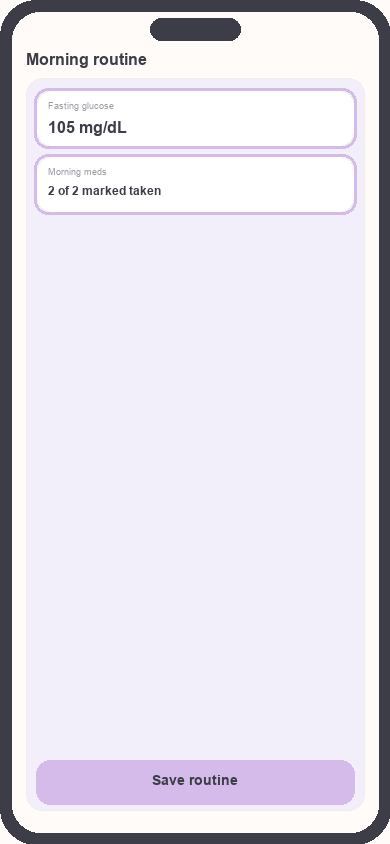
Quick Log Morning routine
Focus: Highlight glucose and medication rows in one sheet
Daily notes
- From Log or Today, open Daily note (or Journal).
- Write a few sentences: energy level, exercise, hypoglycemia symptoms, or questions for your nurse educator.
- Save the note — it attaches to that calendar day in Care Review timelines.
- Review notes weekly to prepare for follow-up appointments.
Build the habit
- Stack Morning quick routine on an existing habit (brush teeth, make coffee).
- Set a recurring phone alarm labeled “Kinsula Night routine” until PM meds feel automatic.
- If you miss a routine, log late rather than skipping — partial data beats empty days.
See also Log medications and build adherence.
Need more help?
Email support@suncture.io or return to the guides index.
Related guides
More step-by-step help for the Kinsula patient app.
Connect your care team with Health Auth
Use Health Auth to share structured Care Review data with your hospital care team only when you explicitly consent — common in Evercare-linked pilots.
Create your Kinsula account
Sign up for a secure Kinsula cloud account so your glucose logs, medications, and Recovery Island progress sync across devices.
Log meals and track how food affects glucose
Record meals and snacks with timing so you can compare pre- and post-meal glucose and learn patterns during Recovery Island.
Log medications and build adherence
Add discharge medications, log doses with Quick Log routines, and review adherence so you and your care team see a clear med history.
Log your first glucose reading
Record a blood glucose value with context (fasting, before meal, after meal) using Quick Log or a single reading entry on the Log tab.