Manage profile, integrations, and sign-out
Update account details, manage Health Auth and other integrations, adjust notifications, and sign out safely on shared devices.
By Isaac Williams
Your Profile area centralizes account security, care profile edits, integrations, and app preferences.
Profile and care settings
- Open Profile from the tab bar or avatar menu.
- Review Account email and password options. Change password if you suspect your device was shared or compromised.
- Open Care profile to update glucose targets or insulin settings when your clinician changes orders — see Set up your care profile.
- Adjust Notifications if you want reminders for quick routines or care team messages.
Integrations
- Go to Profile → Integrations.
- Health Auth: view connection status, re-authorize if expired, or Revoke to stop hospital sharing — details in Connect your care team with Health Auth.
- Other integrations appear here as pilots expand; only enable what you recognize and need.
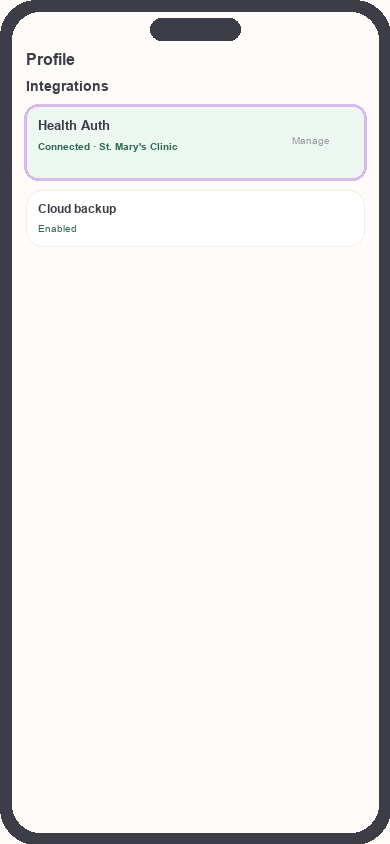
Profile integrations list
Focus: Focus on Health Auth connected status
Sign out safely
- On shared or family devices, always Sign out when finished.
- Profile → Sign out (or Log out).
- Confirm if prompted. Local cached data may clear depending on app version; your cloud account retains synced logs.
- To use Kinsula again, sign in with the same email — your Recovery Island progress and logs reload from the cloud.
Delete account
If you need to close your account entirely, contact support@suncture.io from your registered email. Self-serve delete may not be available in all pilot builds.
Security: Never share your password with care staff. Legitimate teams access structured data through Health Auth after you consent, not by logging in as you.
Need more help?
Email support@suncture.io or return to the guides index.
Related guides
More step-by-step help for the Kinsula patient app.
Complete daily notes and quick routines
Use daily notes and Quick Log routines (Morning, before meal, after meal, Night) to capture glucose, meds, insulin, and reflections in fewer taps.
Connect your care team with Health Auth
Use Health Auth to share structured Care Review data with your hospital care team only when you explicitly consent — common in Evercare-linked pilots.
Create your Kinsula account
Sign up for a secure Kinsula cloud account so your glucose logs, medications, and Recovery Island progress sync across devices.
Log meals and track how food affects glucose
Record meals and snacks with timing so you can compare pre- and post-meal glucose and learn patterns during Recovery Island.
Log medications and build adherence
Add discharge medications, log doses with Quick Log routines, and review adherence so you and your care team see a clear med history.