Set up your care profile and glucose targets
Configure your care profile, personal glucose ranges, and recovery preferences so logs and Care Review summaries match your clinical plan.
By Isaac Williams
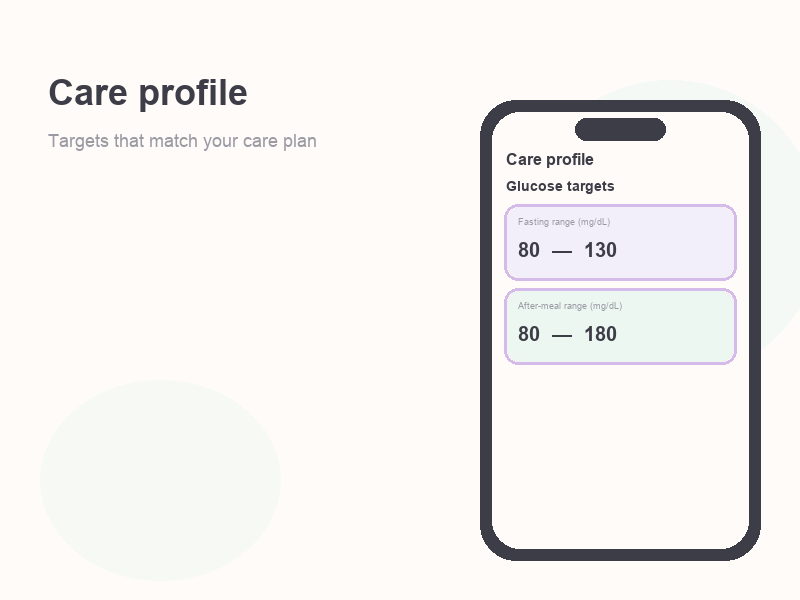
Your care profile tells Kinsula how to label glucose readings (in range, high, low) and what to include in structured summaries for you and, if you opt in, your hospital care team.
Why it matters
- Target ranges drive color cues on the Log tab and in Care Review.
- Medication and insulin settings power quick routines and adherence views.
- Accurate profile data makes educational content on Recovery Island more relevant.
Steps
- After sign-up, open Onboarding if it starts automatically; otherwise go to Profile → Care profile.
- Confirm basics your clinician expects: diabetes type, whether you use insulin, and any discharge instructions you were given.
- Set glucose targets (fasting and post-meal ranges) using the values from your discharge paperwork or care team. When in doubt, enter what your nurse educator provided rather than guessing.
- Review low and high alert thresholds if the app offers them — these affect how readings are highlighted in lists and summaries.
- Save the profile. Kinsula uses these ranges for labels like in-target, above range, or below range across the app.
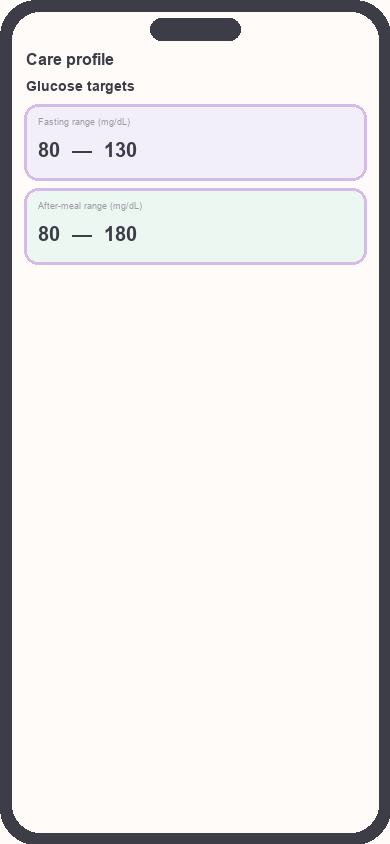
Care profile glucose target fields
Focus: Focus on fasting and post-meal range inputs
- Optional: note your preferred units (mg/dL) and logging habits (for example fasting each morning).
- Return to the Log tab and confirm a sample reading would display with the expected range label.
Important: If your targets change after a clinic visit, update the care profile the same day so historical Care Review stays interpretable alongside new goals.
Related guides
Need more help?
Email support@suncture.io or return to the guides index.
Related guides
More step-by-step help for the Kinsula patient app.
Complete daily notes and quick routines
Use daily notes and Quick Log routines (Morning, before meal, after meal, Night) to capture glucose, meds, insulin, and reflections in fewer taps.
Connect your care team with Health Auth
Use Health Auth to share structured Care Review data with your hospital care team only when you explicitly consent — common in Evercare-linked pilots.
Create your Kinsula account
Sign up for a secure Kinsula cloud account so your glucose logs, medications, and Recovery Island progress sync across devices.
Log meals and track how food affects glucose
Record meals and snacks with timing so you can compare pre- and post-meal glucose and learn patterns during Recovery Island.
Log medications and build adherence
Add discharge medications, log doses with Quick Log routines, and review adherence so you and your care team see a clear med history.